
Hébergement
Forum

Sale MiochY, le gentil petit Extra-terrestre intergalactique.
Alors, dans ce turoriel nous allons voir comment dessiner avec Flash Mx.
Dans le cas présent nous allons dessiner Miochy, le gentil petit Extra-terrestre intergalactique. :o)
Flash Mx possède des fonctions très intéressantes de dégradés et surtout de dessin. Avec un peu d'entraînement
il devient possible de faire des personnages (ou autres) sympathiques.
1/ La tête
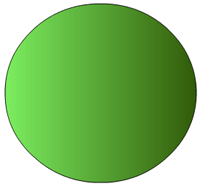
Sur le 1er calque sélectionner l'outil pour faire des ronds dans la barre d'outils.
Selectionner par exemple un contour noir avec un dégradé interne en linéaire puis tracez le cercle.
2/ Les yeux
Je vous conseille vivement de travailler sur un nouveau calque pour chaque composants rajoutés.
Cela permet une meilleur modification et d'avoir des éléments complètement indépendants.
Donc créez un nouveau calque.
Resélectionnez le rond avec un extérieur noir et un interieur blanc.
Tracer un cercle dans le nouveau calque.
Cliquer deux fois dessus pour sélectionner l'interieur et l'exterieur du cercle puis faite copier, coller. (sauf si vous voulez qu'il n'ai qu'un oeuil :o) )

Créer un nouveau calque.
Toujours avec notre outil du rond selectionnez un contour noir et un intérieur en dégradé RADIAL, puis vous tracez

Créer un nouveau calque.
Sélectionner le pinceau avec la couleur noir pour lui mettre les pupilles puis blanc pour faire des petits effets sympa ;o).

3/ La bouche
Jusque là facile.
Sélectionner l'outil pour faire des traits et faites en un tout droit horizontal.
Remarquer que lorsque vous mettez le curseur de la souris au centre de ce trait, il devient possible de lui donner des formes arrondies et de l'étirer comme bon vous sembles.
Donc créez un nouveau calque puis dessiner lui une petite bouche.
nb: Il se peut que vous rencontriez des problèmes de positionnement lors de déplacement de composants. Faites AFFICHAGE puis décochez "accrocher aux objets" et "accrocher aux pixels".

4/ Les antennes
Créer un nouveau calque.
Sur le même principe que la bouche, Dessiner lui les antennes.

5/ Les détails
Revenez par exemple sur le calque des yeux avec fond blanc, cliquer sur le fonc blanc et mettez y un petit dégradé du blanc vers le gris en linéaire.
Et puis enfin une petite langue :o)
Il est possible de rajouté des effets à volontés (ombrages, couleurs, dégradés...).
Et voilà le résultat notre mignon petit Miochy le gentil petit Extra-terrestre intergalactique.

Et en SWF
La source et également disponible : .fla