
Hébergement
Forum

L'explorateur, gestionnaire de fichier par défaut de windows permet très facilement et intuitivement de se connecter à un serveur ftp pour transférer tous les fichiers de votre site web
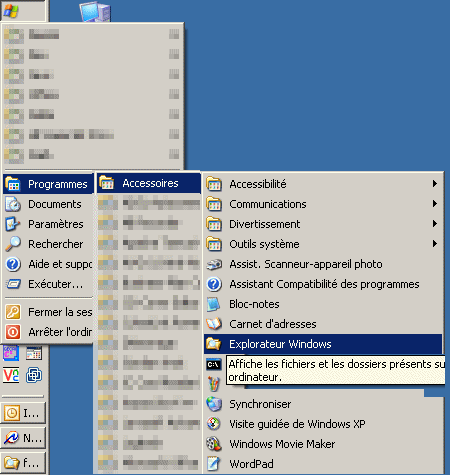
Une fois que vous avez vos informations de connexion (serveur, utilisateur, mot de passe), lancer le gestionnaire de fichier
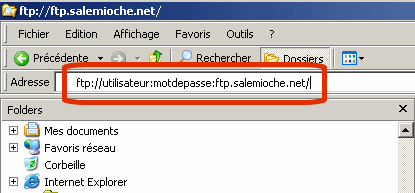
Ensuite, dans la barre tapez:
ftp://utilisateur:mot de passe@serveur
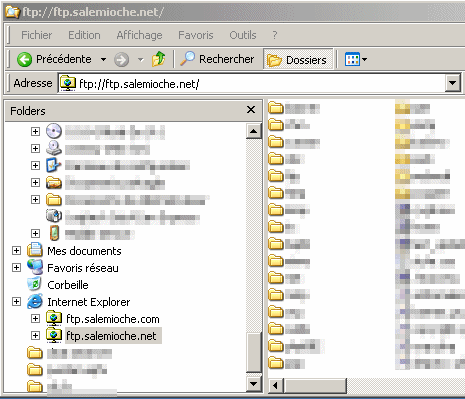
Vous allez alors voir apparaitre, un petit dossier sous le symbole de internet explorer avec le nom de votre serveur, il vous suffit alors de faire des copier-coller ou glisser-déposer comme vous en avez l'habitude avec un dossier classique
Cette méthode très pratique est toutefois à réserver aux petites mises à jour, pour les transferts de fichiers plus importants utilisez plutôt l'une des deux autres méthodes que nous vous proposons.